LLM agent-assisted Builder Workspace Design

TL;DR

I designed an LLM agent assisted workspace that simplified a complex, fragmented strategy workflow and made it easier for quant strategy builders to monetize their work.

*

Original Workspace Problems:

-  The workflow was fragmented and didn't match how builders work, making the platform harder to adopt

-  Marketplace listings didn’t convert well

Solutions:

-  The builder workflow now lives in a single workspace

-  Builders can create stronger listings with the help of the LLM with full context

Context

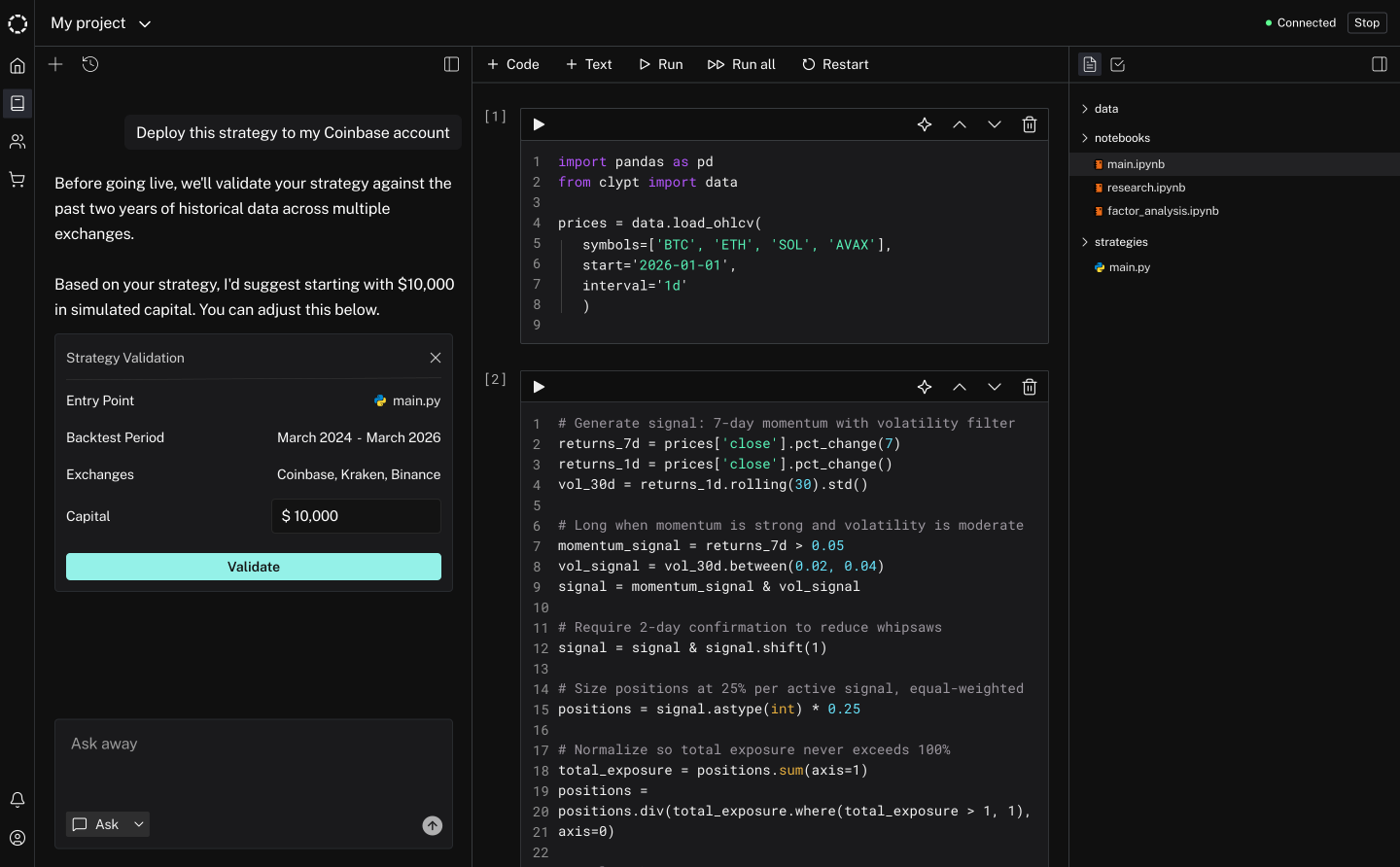
Working with the founding engineer, I designed the first version of the builder workspace for quantitative strategy builders, from 0 to 1. The workspace included an LLM agent assistant, Jupyter-notebook coding section, and a right panel to submit strategy code for validation.

Validation was a necessary step if builders wanted to deploy their code or list their strategies on the marketplace. Due to initial tech constraints, validation lived on a separate page, not in the workspace.

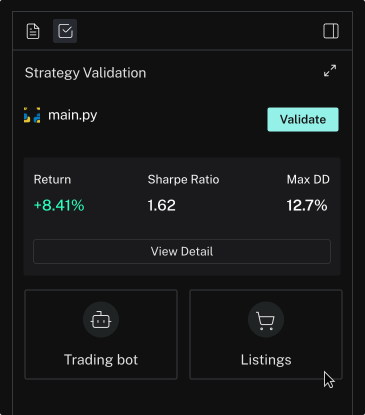
My original workspace design, featuring a strategy code submission right panel

Problem

We noticed that builder-created strategies were not performing well on the marketplace, despite these strategies showing strong investment returns. One key reason was that the listings builders created did not look professional or polished. More importantly, they did not contain information traders cared about, such as how a strategy actually trades and its risk assessment.

“No idea how this trades”

“Looks unreliable”

Solution

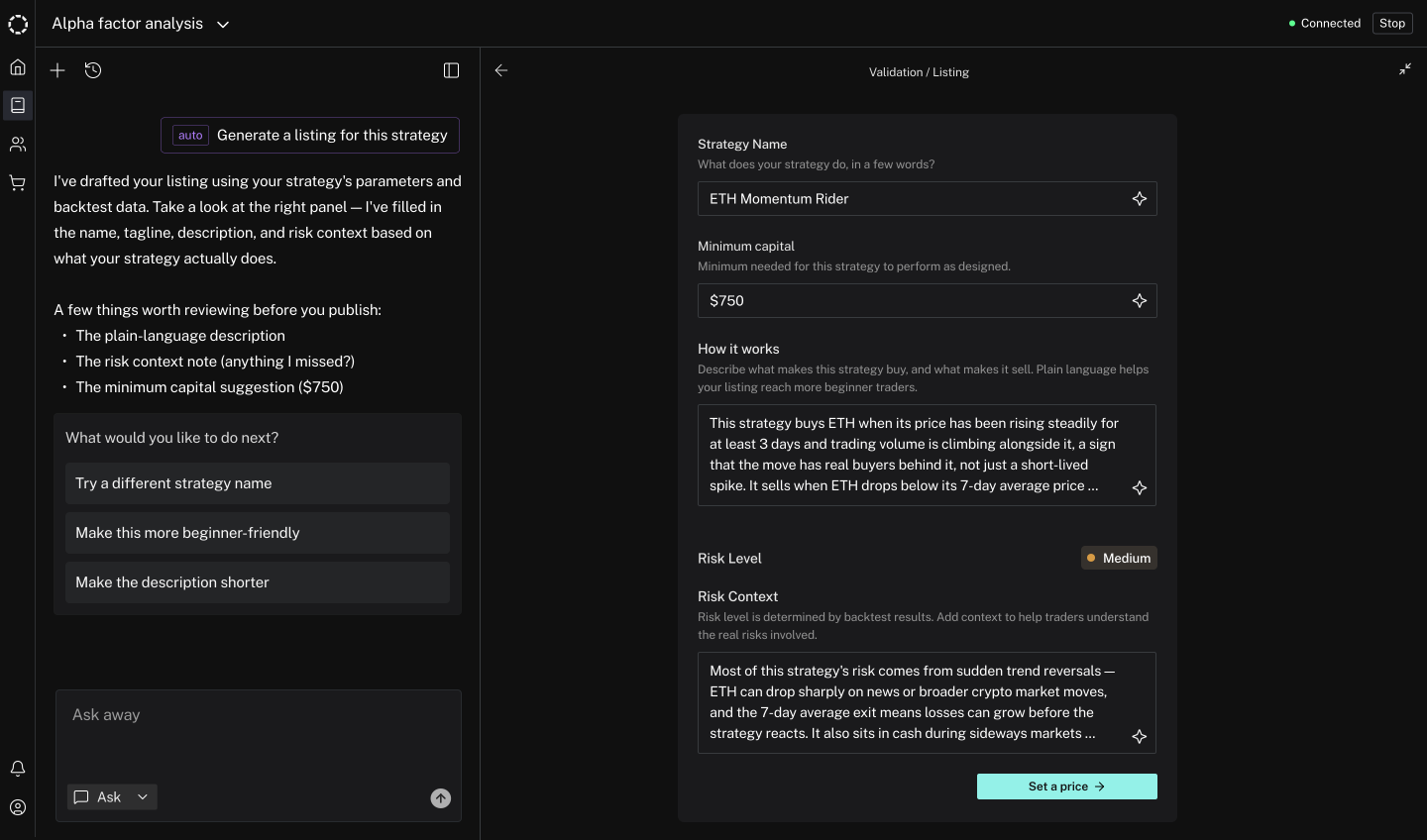
We wanted AI to help builders create their listings. Rather than adding a new AI feature on the listing creation page, I proposed that we move listing creation, and therefore validation, directly under each project in the workspace. The LLM agent already had full context of a strategy, so this would be the most token-efficient approach.

Moving validation inside the workspace would also let bot deployment happen there, meaning the entire workflow could live in one place. No more jumping between pages or context-switching. The CTO agreed to this direction, so we overhauled the right panel to support this change.

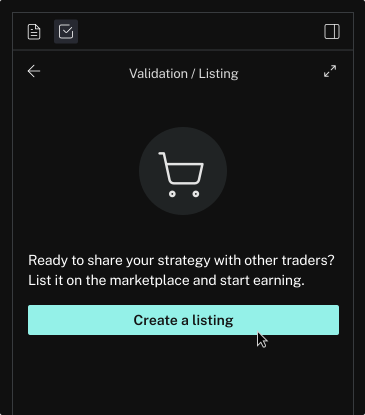
1

New validation right panel

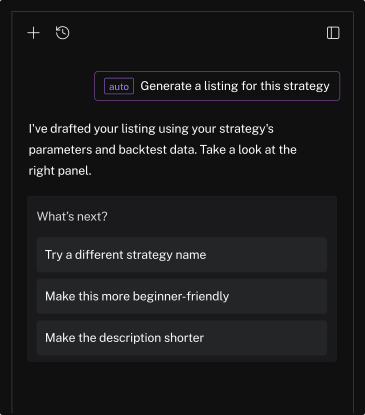
2

Option to create listing with AI

3

AI suggesting the next step after listing is drafted

4

LLM agent-assisted listing creation - right panel expanded view

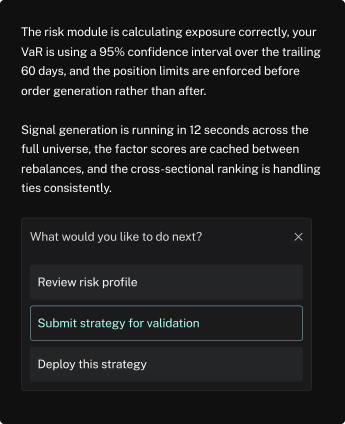
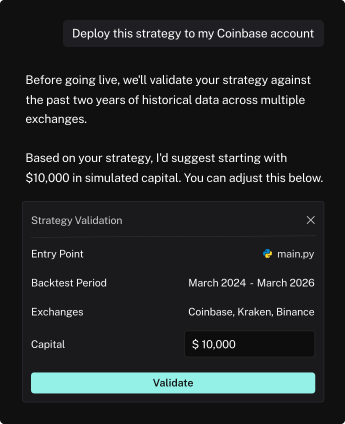
To reflect this change, I also redesigned the agent's behavior. Instead of requiring builders to 'submit' code for validation,  a term that didn't match how they think,  the agent now detects intent to deploy and prompts builders to validate their strategy code.

BEFORE

The agent guided users to “submit” code for validation - an unfamiliar step for users.

AFTER

The agent now prompts users to validate once it detects intent to deploy.

See other case studies